FSC Search with Aadhaar No Telangana
FSC Search with Aadhaar No: The official electronic Public Distribution System (ePDS) portal provided by the Civil Supplies Department of Telangana makes tracking your Food Security Card (FSC) highly efficient. By utilizing your Aadhaar link, you can check real-time application processing, verify linked household family units, and review fair price shop allocations.
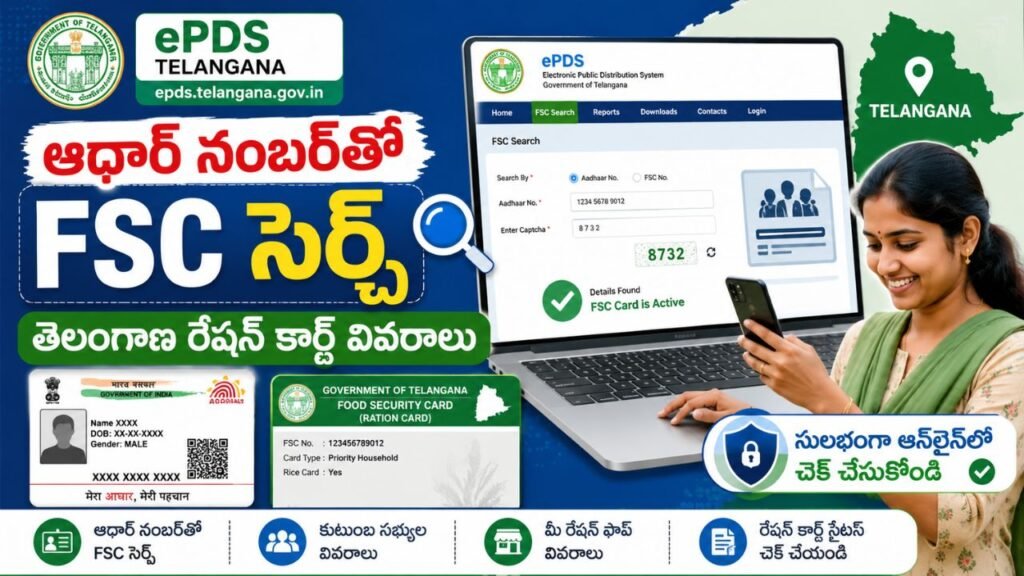
Here is an overview of how the system functions and how to navigate it seamlessly.
What is FSC Search with Aadhaar No Telangana?
The online FSC Search allows beneficiaries to bypass long lines and administrative offices by pulling live card records directly from the centralized database.
Because the government of Telangana requires biometric de-duplication, your 12-digit Aadhaar number is directly tied to your household’s public distribution identity. This means any resident of Telangana listed on an active or pending card can use their own identifier to check the status of the entire household’s card structure.
Benefits of Online Verification
- Card Status on Demand: Instantly see if your card is marked as Active, Inactive, or Dormant (which usually happens if grains are uncollected for consecutive months).
- Member Auditing: Ensure that every eligible family member’s name is correctly updated and seeded within the system to avoid missing out on per-capita allocations.
- Welfare Portability: Because a White Ration Card (PHH) acts as a primary socioeconomic benchmark in Telangana, keeping your card active is crucial for maintaining eligibility for other state health, housing, and pension benefits.
How to Perform FSC Search with Aadhaar No Telangana
Follow these procedural steps on the official Civil Supplies portal to retrieve your details. Ensure you have selected your specific district before beginning the search.
1. Open the ePDS Homepage:
Accessing the Portal: Navigate to the official EPDS Telangana portal. For optimal loading and to avoid server timeouts, try accessing the system during off-peak hours (early morning or late evening).
2. Locate FSC Search:
Dashboard Redirection: Find and click the dedicated FSC Search tab on the homepage interface. This opens the secure tracking modules.
3. Filter by Region:
District Selection: Select your specific home district (e.g., Sangareddy, Hyderabad, or Medak) from the mandatory dropdown menu. The system utilizes this filter to scan regional server nodes.
4. Choose Identity Filter & Submit:
Identity Search: Toggle the input option to search via biometric identifier/UID. Carefully type in your 12-digit security number without any spaces, then click Search to render your digital e-ration card dashboard.
Details Available in FSC Search Results
Once a successful database match occurs, the dashboard displays a structured overview of your household distribution parameters:
- FSC Number & Card Type: Displays your unique administrative card ID and category: PHH (Priority Household / White Card), AAY (Antyodaya Anna Yojana for highly subsidized items), or APL (Above Poverty Line).
- Head of Family (HoF): Name and details of the recognized household head.
- Aadhaar-linked Family Members: Total number of units approved under the card, along with their seeding confirmation status.
- Address Details: Registered resident address, including District, Mandal, and Village boundaries.
- Fair Price Shop (FPS) Information: The unique shop number and location mapping where your monthly household quota is delivered.
- Card Status: Explicit operational marker indicating whether the card profile is Active, Inactive, Pending Verification, or Dormant.
FSC Search with Mobile Number
Can You Search FSC Using a Mobile Number? Yes, alternative lookup strategies exist if you face portal issues with biometric identifiers. If your active mobile number is formally registered in the ePDS database, you can use it to fetch tracking summaries.
Alternative Search Methods & Benefits : On the portal or via the official T-Ration Mobile App, users can select the mobile tracking parameter to check status logs. Registering a mobile number on the portal ensures you receive automated SMS alerts from the Civil Supplies Supply Chain Management regarding monthly allocations, grain dispatches, and transactions executed at your local Fair Price Shop.
FSC Ration Card Search Methods in Telangana
The Telangana state portal supports multiple data entries to ensure citizens can always retrieve their information. The principal search methods include:
- Search by Aadhaar Number: The most secure, direct lookup method utilizing individual biometric links.
- Search by FSC Number: Querying via the specific 15-digit food security code printed on modern cards.
- Search by Ration Card Number: Utilizing legacy or old structural ration card codes.
- Search by Mobile Number: Using a validated, database-seeded mobile contact to query application stages.
- Search by District Details: Performing district-wise or village-wise beneficiary list audits via the “Reports” tab to trace names manually.
Common Reasons Why FSC Search is Not Working
If the portal fails to return a record or shows an error message, it is usually due to one of the following factors: FSC Search Telangana.
- Incorrect Information Entry: Typographical errors in entering the identification sequence or selecting an incorrect home district from the dropdown.
- Aadhaar Not Seeded: If the biometric identity hasn’t been officially linked or mapped to the specific ration card profile, an Aadhaar-based search will return “No Records Found.”
- Server Congestion or Maintenance: High traffic volumes on the epds.telangana.gov.in domain can cause timeouts. Accessing the portal during off-peak windows (such as early mornings or late evenings) often resolves loading issues.
- Dormant Status: If a household fails to collect rations from their designated FPS for consecutive months, the administrative card status may be systematically marked as dormant or inactive.
How to Link Aadhaar with FSC Card
If your identity information is unlinked, you must undergo the seeding process to secure your welfare entitlements and enable online searches.
Required Documents
- Aadhaar Card copies for all listed family units.
- Original FSC / Existing Ration Card document.
- Active Mobile Number for receiving security OTP validations.
Linking Process
- Online Method: Access the ePDS portal interface and select the Link Aadhaar / Aadhaar Seeding tool. Input your FSC framework code, follow up with the identity details, and enter the OTP generated to the head of the family’s registered mobile number to authenticate.
- MeeSeva / Center Method: If online validation fails, visit your nearest local MeeSeva Center or Praja Palana center. Submit physical copies of the required cards to the operator. The administrative update usually processes within 2 to 7 working days following physical verification.
Frequently Asked Questions (FAQs)
Q1. How can I do FSC Search with Aadhaar No?
Visit epds.telangana.gov.in, choose the FSC Search tool, select your specific residential district from the dropdown menu, click on the Aadhaar search option, input your unique 12-digit number, and hit submit.
Q2. Is FSC Search with Aadhaar No Telangana free?
Yes. Accessing the tracking system and downloading a digital e-ration summary via the official ePDS portal is entirely free of cost for all citizens.
Q3. Can I perform FSC Search with Mobile Number?
Yes, provided your current mobile number is registered in the Civil Supplies database. You can query status indicators through the desktop portal options or via the standalone T-Ration Android application.
Q4. What details will be displayed after an FSC search?
The screen output highlights your structural Card Number, Card Type (PHH/AAY), Head of Family designation, complete list of approved family units, corresponding Fair Price Shop code, and current operational status.
Q5. What should I do if my FSC details are not found?
Double-check your entered digits and ensure you selected the correct district. If the issue persists, your card may be unseeded or marked dormant. Visit a MeeSeva center with your documents or utilize the portal’s Grievance Redressal System for E2E PDS to file an official review.
Q6. Can I download FSC details online?
Yes. If your search shows an “Approved” or “Active” card status, the portal provides a print/download button. This allows you to save a verified digital copy of your e-Ration card directly to your device or access it securely via DigiLocker.